This article explains a practical framework for designing a contract drafting simulator on BeSavvy.
The principle is the same as with any strong simulation: define a single, realistic use case, break it into a small number of steps, build each step as its own learning element, then connect the elements into one continuous “matter”.
For drafting, the most reliable structure is a three-step flow:
- identify the problem through a client interview,
- implement changes in the document, and
- defend those changes in a negotiation-style discussion.
Start with a clear drafting use case
Drafting is too broad to train in one simulator. Your first design decision is to pick a narrow, recognisable scenario.
A good use case statement includes:
- Document type: NDA, services agreement, SaaS terms, share purchase agreement clause set, employment contract, data processing addendum, etc.
- Perspective: acting for customer/supplier; buyer/seller; employer/employee; landlord/tenant
- The “problem”: what the client is worried about (risk, cost, timing, liability, confidentiality, IP ownership, termination, regulatory exposure)
- Deliverable: amended mark-up + explanation/negotiation of key positions
- Success criteria: accuracy, prioritisation, clarity, commercial reasonableness, consistency across clauses
Example use case (copy/paste and edit):
“This simulation trains a junior lawyer to interview a client and then mark up a supplier’s standard services agreement to reflect the client’s risk appetite. The learner produces a clean set of amendments and then defends the key changes in a short negotiation with the counterparty (or a supervising partner).”
Keep the scenario tight: one document, a defined client objective, and a clear end deliverable.
Step 1: Problem identification via Client Interview (Conversation block)
Objective: teach the learner to identify what needs to be drafted by extracting facts and priorities – before they touch the document.
Block to use: Conversation → Type: Client interview
What this step should train
– Asking structured, purposeful questions (not generic “tell me more”)
– Separating:
- facts (what is happening),
- constraints (timing, budget, approvals),
- priorities (what the client cares about most),
- risk appetite (what they will and won’t accept)
– Translating business concerns into legal drafting targets
How to design the client interview
Give the client a realistic backstory and incomplete information. The learner should have to work for clarity.
Include:
- Client role and context (e.g., Head of Procurement at a scale-up)
- The commercial goal (e.g., sign in 10 days, launch a product)
- A few hidden issues the learner can uncover (e.g., use of subcontractors, sensitive data, IP created during the project, reliance on a key supplier)
Output of Step 1: a short, structured drafting brief the learner will use in Step 2, for example:
- Client objectives (3 bullets)
- Non-negotiables (3 bullets)
- Fallback positions (3 bullets)
- Red-flag issues to fix in the document (5 bullets)
This “brief” is what turns drafting into a disciplined workflow.
Step 2: Implement changes in the document (Document Editor block)
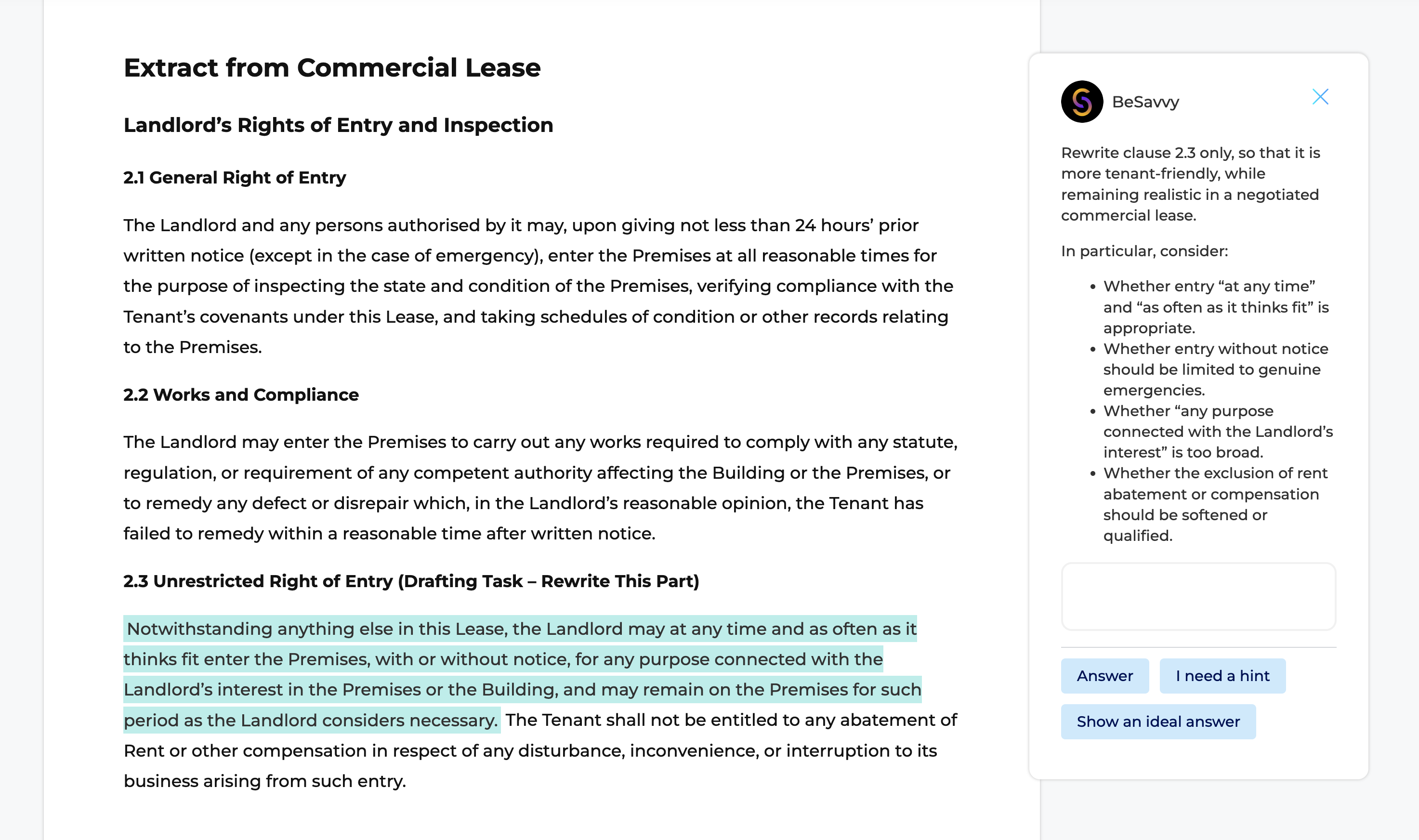
Objective: teach the learner to apply the brief to real contract language – making precise changes that are internally consistent.
Block to use: Document Editor
1. Provide either:
- a template (your starting document), or
- the other party’s draft (more realistic in practice)
2. Give the learner clear instructions:
- what to change,
- what outcome each change must achieve,
- how to balance risk vs commercial practicality.
Best practice: integrate tasks into the document text
Within the document, insert task prompts such as:
- “Update this clause to reflect the client’s requirement that…”
- “Add a limitation so this obligation only applies where…”
- “Make this consistent with the termination clause at section X.”
You are training the learner to:
- locate relevant provisions,
- choose an appropriate drafting technique,
- keep positions consistent across the agreement (definitions, liability regime, termination mechanics, IP provisions, etc.).
What to assess in Step 2
- Substance: did they fix the right risks?
- Drafting technique: did they use a workable mechanism (not just deleting everything)?
- Precision: are the edits clear and legally coherent?
- Consistency: no conflicts across clauses, defined terms used correctly
- Commercial realism: changes are defensible and proportionate
Output of Step 2: a marked-up document (and optionally a short rationale note for the key changes).
Step 3: Defend the changes (Negotiation Conversation block)
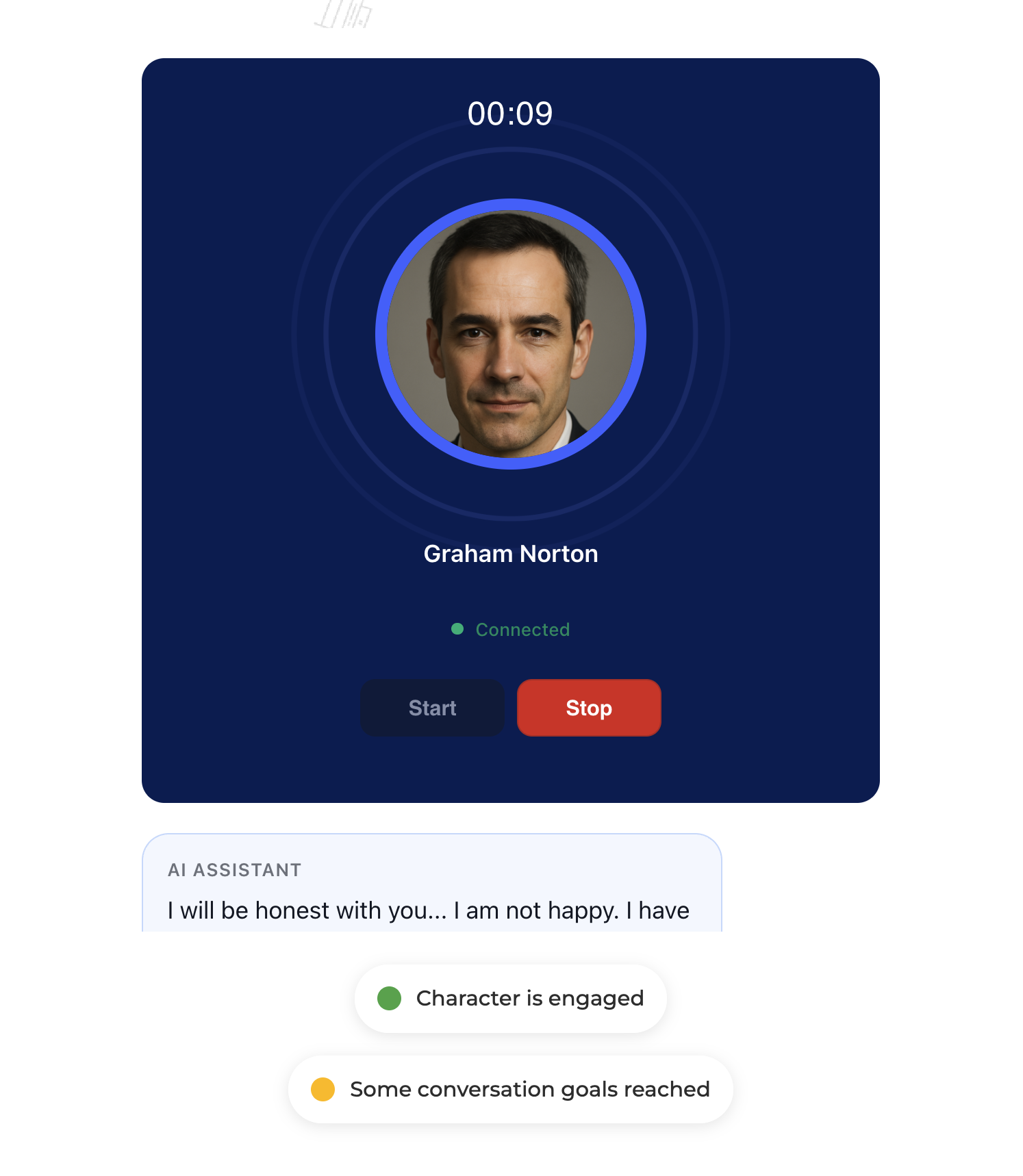
Objective: teach the learner to justify drafting positions and negotiate them credibly—either with the counterparty or internally with a partner.
Block to use: Conversation → Type: Negotiation
Two common variants (choose one)
- External negotiation (counterparty). The counterparty pushes back on liability, IP, confidentiality, SLAs, termination, etc.
- Internal negotiation (partner review). The partner challenges whether the positions are too aggressive, commercially unworkable, or inconsistent.
How to design the negotiation step
Give the other party (or partner) a clear agenda and realistic pushback:
- “We can’t accept unlimited indemnities.”
- “Our standard is caps at fees paid in 12 months.”
- “We don’t assign IP by default; we license it.”
- “We need the right to use subcontractors.”
Train the learner to respond with:
- the principle (why the client needs this),
- the risk framing (what happens if not),
- a fallback (alternative drafting or compromise),
- a trade (if we give X, we need Y)
Output of Step 3: an “agreed position” summary:
- accepted points,
- concessions made,
- open points,
- next drafting actions.
Connecting the three steps into one coherent simulator
A strong drafting simulation has continuity:
- Client interview output becomes the learner’s drafting brief.
- Drafting edits become the subject of the negotiation.
- Negotiation outcomes lead to final drafting actions (optional final step: produce a clean version).
This makes the simulator feel like real work: facts → drafting → negotiation.
Practical design principles for drafting simulations
- One document, one client objective. Avoid multi-document scope in early versions.
- Teach “positions”, not perfection. Juniors need to learn what is market, what is aggressive, and what is unacceptable.
- Build in constraints. Time pressure, client sensitivity, and business trade-offs create realism.
- Use explicit evaluation criteria. Accuracy, clarity, consistency, risk allocation, and commercial reasonableness.
- Iterate fast. Run the simulation with 3-6 users and refine where they misinterpret tasks or over-edit.